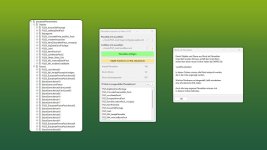
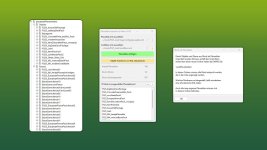
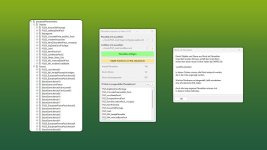
This GIANTS Editor script allows you to import all placeables, including fences, into your map that are defined in a selected “placeable.xml”.
Unlike the official PlaceableToolkit by GIANTS, this script works purely with a visual representation during the map building phase. This means you can first place objects and fences in-game and then import them into the GIANTS Editor using this script to maintain a complete visual overview of all placed elements while continuing map development.
Additionally, the script generates an in-game script that automatically removes the imported visualization placeables from the I3D when the map is loaded in-game, allowing the real placeables to load normally. For this feature to work, a “modDesc.xml” must be selected in the GE script.
Installation:
1.) Locate your GIANTS Editor installation directory. By default:
“C:/Program Files\GIANTS Software\GIANTS_Editor_10.X.X/”
2.) Copy the script “PlaceableImporter.lua” from the prefab into the GIANTS Editor script folder.
3.) The script will then be available in the GIANTS Editor via the menu bar under “Scripts”.
INFO:
– To load placeables from mods, the script creates a folder named “modPlaceholders” on first launch. All required mods must be extracted into this folder.
– Object placeables can be moved/rotated in the editor and updated back to the .XML via the update button. Make sure the placeables in the .XML contain a “uniqueId”.
– Fences can also be permanently integrated into the map by moving the desired fence objects outside of the “placeablePlaceholders” node. When using mod fences, texture paths may need to be adjusted.
- Authors / Credits
- Aslan
- Download modification
- https://zippymods.com/eruovp83kw04/FS25_GEScript_PlaceableImporter_prefab.zip.html

 Farming Simulator 25 Mods
 FS25 Maps
 FS25 Tractors
 FS25 Harvesters
 FS25 Trucks
 FS25 Trailers
 FS25 Vehicles
 FS25 Cars
 FS25 Buildings
 FS25 Implements
 FS25 Forklifts & Excavators
 FS25 Forestry
 FS25 Decorations
 FS25 Placeable objects
 FS25 Prefab
 FS25 Packs
 FS25 Weights
 FS25 Misc
 FS25 Textures
 FS25 Savegames
 FS25 Scripts
 FS25 Autodrive