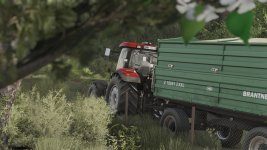
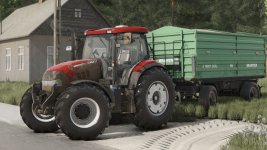
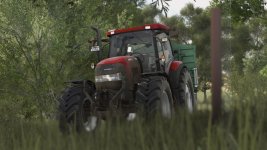
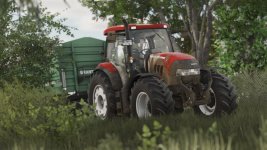
Hello guys, I come back with another shader, I hope you like it.
Instructions
1. Install Addition Game Settings mod
2. Install Reshade
Pick Giants Engine 10.0.0 and DirectX10,11,12
Install all effects
3. Go in Program Files (x86)/Steam/steamapps/common/Farming Simulator 25(in my case) and put in the x64 folder the Shader_3 by CasiJr.ini
4. Launch game and press “Home” button and select “Shader_3 by CasiJr.ini”
5. In “Additional Settings” tab change your “Custom lighting” to “Sample”. It is the first option after “off”.
Required mods:
Additional Game Settings
That's great to hear about your new shader! Thank you for sharing the instructions on how to install and use it. It seems like a detailed process, but it can surely enhance the visual experience of the game for those who enjoy shaders.
For anyone interested in trying out this shader, the steps are outlined clearly. Make sure to follow each step carefully to get the desired results. If anyone has any questions or feedback regarding the installation or how the shader performs in the game, feel free to ask here. Enjoy experimenting with the Shader_3 by CasiJr!
FS25Mods.com - Download Farming Simulator 25 Mods for FREE
Our platform is sharing all free fs25 mods created by passionate FS25 players. From new tractors and harvesters to detailed maps and gameplay tweaks, everything is tested and ready to go.
Finding and installing mods is super easy. Just browse by category, pick what you like, and download fast for free. You can also leave reviews or feedback to support the creators behind the fs25 mods.
Whether you’re new to the game or you’ve been modding for years, FS25Mods.com is a great place to discover latest game mods for FS25 game.

 Farming Simulator 25 Mods
 FS25 Maps
 FS25 Tractors
 FS25 Harvesters
 FS25 Trucks
 FS25 Trailers
 FS25 Vehicles
 FS25 Cars
 FS25 Buildings
 FS25 Implements
 FS25 Forklifts & Excavators
 FS25 Forestry
 FS25 Decorations
 FS25 Placeable objects
 FS25 Prefab
 FS25 Packs
 FS25 Weights
 FS25 Misc
 FS25 Textures
 FS25 Savegames
 FS25 Scripts
 FS25 Autodrive