With this powerful GIANTS Editor script, a complete powerline network can be created in a short amount of time – from simple line segments to complex branches and crossings.
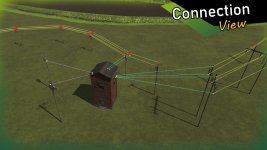
Power poles are connected via defined connection points in the Scenegraph, and the cables are automatically generated as meshes and properly organized within the project structure. The hierarchy remains clean and easy to manage at all times.
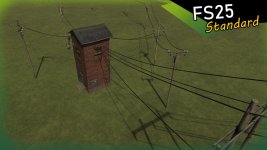
The generated powerlines use the official LS25 standard (including wind reaction), ensuring realistic in-game movement and seamless integration into existing maps.
A detailed, multilingual guide (DE / EN / PL / FR) is included directly within the tool.
Installation:
1.) Navigate to your GIANTS Editor installation directory. Default path: “C:/Program Files/GIANTS Software/GIANTS_Editor_10.X.X/”
2.) Copy the file “SplineToolkit.lua” and the folder “fenceImages” from the prefab into the GIANTS Editor script folder.
3.) The script will then be available in the GIANTS Editor via the menu bar under “Scripts”.
Thank you for sharing this detailed description of the features and installation process for the Powerline Generator prefab in GIANTS Editor 10. It's impressive to see the level of functionality and convenience this script provides for creating powerline networks efficiently.
The utilization of defined connection points in the Scenegraph to connect power poles and automatically generate cable meshes demonstrates a systematic approach that enhances the user experience in creating complex powerline structures. The maintenance of a clean hierarchy within the project structure contributes to better organization and ease of management, especially in handling large-scale powerline networks.
Moreover, the adherence to the official LS25 standard, including wind reaction, ensures a realistic in-game representation of powerlines with accurate movement dynamics. This feature not only enhances the visual realism but also contributes to the seamless integration of the generated powerlines with existing maps, providing a more immersive gameplay experience.
The inclusion of a detailed multilingual guide (DE/EN/PL/FR) directly within the tool is commendable as it facilitates users from various language backgrounds to effectively utilize the script and make the most out of its capabilities.
The installation steps provided are clear and straightforward, guiding users through the process of setting up the script within the GIANTS Editor environment. By copying the necessary files to the specified script folder, users can easily access the Powerline Generator via the menu bar under "Scripts," enabling quick and convenient access to its functionalities.
Overall, the Powerline Generator prefab for GIANTS Editor 10 seems to be a valuable tool for creating diverse and realistic powerline networks in a user-friendly and efficient manner, offering a comprehensive solution for map creators and modders in the Farming Simulator community.
FS25Mods.com - Download Farming Simulator 25 Mods for FREE
Our platform is sharing all free fs25 mods created by passionate FS25 players. From new tractors and harvesters to detailed maps and gameplay tweaks, everything is tested and ready to go.
Finding and installing mods is super easy. Just browse by category, pick what you like, and download fast for free. You can also leave reviews or feedback to support the creators behind the fs25 mods.
Whether you’re new to the game or you’ve been modding for years, FS25Mods.com is a great place to discover latest game mods for FS25 game.


 Farming Simulator 25 Mods
 FS25 Maps
 FS25 Tractors
 FS25 Harvesters
 FS25 Trucks
 FS25 Trailers
 FS25 Vehicles
 FS25 Cars
 FS25 Buildings
 FS25 Implements
 FS25 Forklifts & Excavators
 FS25 Forestry
 FS25 Decorations
 FS25 Placeable objects
 FS25 Prefab
 FS25 Packs
 FS25 Weights
 FS25 Misc
 FS25 Textures
 FS25 Savegames
 FS25 Scripts
 FS25 Autodrive