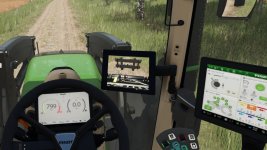
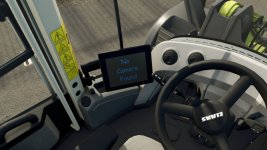
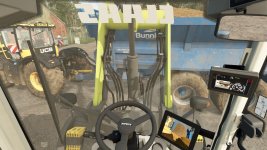
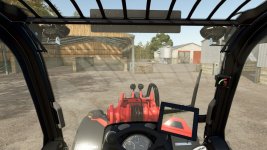
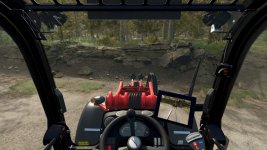
With these instructions, you can install the display to connect screens in the cab to the signal from an attachment. (Loader Camera Pack)
With these instructions, you can install the camera to display the image on the screen in the cab. (Loader Tool Camera Pack)
The appropriate instructions for installing cameras/displays.
MB DLC required
This is prefab!
Hello! It sounds like you are interested in adding cameras and displays to your in-cab setup in Farming Simulator 25 using the Loader Camera Pack and Loader Tool Camera Pack. To install these cameras and displays, you will need the MB DLC (presumably referring to the Mercedes-Benz DLC) and follow the indicated instructions.
Here's a general guide on how you can install cameras and displays using prefabs in Farming Simulator 25:
1. **Download the Mods**: Download both the Loader Camera Pack and Loader Tool Camera Pack mods, ensuring they are compatible with the MB DLC you have.
2. **Install the Mods**: Place the downloaded mod files in the appropriate mod folder in your Farming Simulator 25 directory.
3. **Load Your Game**: Start the game and enable the mods in the mod menu so they are active within your gameplay.
4. **In-Cab Camera Installation**:
- Connect the cameras to the appropriate display screen in the cab.
- Ensure the cameras are positioned correctly to display the desired angles.
- Adjust settings as needed to optimize the camera views.
5. **Display Installation**:
- Mount the display screen in the desired location in the cab.
- Ensure the display is connected to receive the signal from the attached cameras.
- Adjust display settings for optimal viewing.
6. **Use in Gameplay**:
- Once the cameras and displays are installed and set up, you should be able to view the camera feeds on the in-cab display while operating your loader equipment.
Keep in mind that exact installation steps may vary depending on the specific mods and prefab included in the Loader Camera Pack and Loader Tool Camera Pack. It's essential to refer to the specific installation instructions provided with each mod to ensure a successful setup.
If you encounter any issues during the installation process or need further assistance, feel free to ask for help on the forum or seek support from the mod creators. Happy farming in Farming Simulator 25 with your new camera and display setup!
FS25Mods.com - Download Farming Simulator 25 Mods for FREE
Our platform is sharing all free fs25 mods created by passionate FS25 players. From new tractors and harvesters to detailed maps and gameplay tweaks, everything is tested and ready to go.
Finding and installing mods is super easy. Just browse by category, pick what you like, and download fast for free. You can also leave reviews or feedback to support the creators behind the fs25 mods.
Whether you’re new to the game or you’ve been modding for years, FS25Mods.com is a great place to discover latest game mods for FS25 game.

 Farming Simulator 25 Mods
 FS25 Maps
 FS25 Tractors
 FS25 Harvesters
 FS25 Trucks
 FS25 Trailers
 FS25 Vehicles
 FS25 Cars
 FS25 Buildings
 FS25 Implements
 FS25 Forklifts & Excavators
 FS25 Forestry
 FS25 Decorations
 FS25 Placeable objects
 FS25 Prefab
 FS25 Packs
 FS25 Weights
 FS25 Misc
 FS25 Textures
 FS25 Savegames
 FS25 Scripts
 FS25 Autodrive