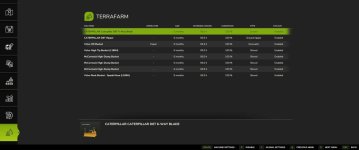
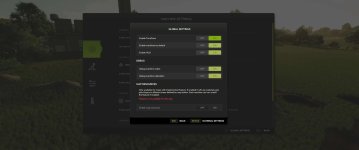
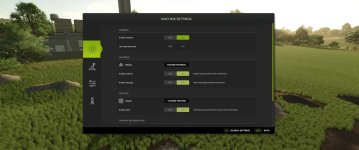
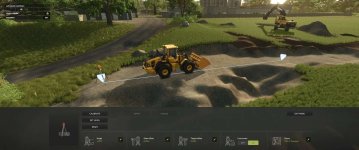
Tired of using the landscaping tool to carve out your land? Not satisfied with using fill types on the ground to supply your mining team? No worries, with TerraFarm you can shape your own land using the equipment of your choice.
V1.4.1
Feature: Hotkey for toggling global area border visibility (221c1c8)
V1.3.1
Updated italian translation (6ebe3a1) (Issue #69)
Increased maximum number of area points to 63 (baaefe3)
Increased maximum number of areas to 63 (03405b9)
InGameMenu page fix (fe65793)
Added option for setting point position manually in Path Area (a3c357a)
Update panel when selected point changes in Area editor (3abb235)
Added selected point position text label in editor (3929182)
V1.3
Feature: Surveyor deprecation, replaced with Landscaping Areas (#14)
Feature: Custom water planes (#64)
V1.2.1
Fixed issues with InteractiveControl integration and multiplayer (bf08730)
Ref. issue #66
V1.2
Updated EN translation entries (8c82f15)
Added new translation entries (54aba78)
GUI update, terraform and discharge settings separated into own tabs. (6774b70)
Deformation update. Discharge now uses only a single node. Some adjustments to deformation parameters. (538e82a)
Some machine settings will be reset to default when updating to 1.2.0.0. The changes to discharge should now result in a smoother/less jagged deformations, especially when using larger discharge deformation radius.
V1.1.3
Added nil checks for using ResourceManager:getTerrainLayerById() (6423b7c)
Fixed updateDischargeTextureDisplay using wrong elements (f5f2839)
Vehicle loading now gracefully continues loading if referenceNode is not found (69edaf2)
Vehicles with vehicleConfigurations should now be able to load completely if a vehicleConfiguration is missing a requirement for Machine specialization.
V1.1.2
Update translation for DE (5751938) agp8x
V1.1.1
Added custom input binding for Surveyor toggle fold action (3630dfa)
V1.1
Surveyor calibration should now use start offset value correctly (f9db5d0)
Fixed issue with buttons in the SurveyorScreen being disabled on open (ef1f4bb)
Update HUD when discharge texture is changed (1dad265)
Grading on angle now uses slope deformation parameters (95241c3)
With the deformation update, grading on angle should now result in smooth terrain and be easier to work on with machines.
V1.0.2
Added camera transition for SurveyorScreen and adjusted input sensitivity (3c59255)
V1.0.1
Fixed auto deactivation option not working correctly on certain vehicles with Automatic Engine Start turned on (6eb9157)
V1.0
Updated BR translation from Myiamoto86 (e8a4917)
Added option for overriding driving direction condition for terraforming (09a73f6)
Added option to toggle automatic deactivation when leaving vehicle (6072a10)
V0.9.0.6
Czech translation by SniperKittenCZ (7d8c7fd)
Added IC function for selecting discharge texture (992fa8b)
V0.9.0.5
Fixed missing input action (0774918)
Fixed input action conditions (256fc74)
V0.9.0.3
Updated german translation (dbd4e17)
Added placeholder text for new translation entries (4f0d46d)
Added support for FS25_interactiveControl (b212a31)
V0.9.0.2
Added debug console command for dischargePaintModifier testing (9faba88)
German translation by Janni1101 (7069251)
Added missing text element profile in dialogs (1cdcc8c)
Added some more translation text entries (a42b95b)
Added configuration for Leitwolf Agripower (6ab8ede)
Download machine addons
For supporting 3rd. party machine configurations
Official machines addon mod
Download the latest FS25_0_TerraFarmMachines.zip and copy/move it into your FS25 mods folder.
Multiplayer
Multiplayer is fully supported. In order to use machines, players will need to have either landscaping permission, be farm manager or granted admin access. Farm managers can disable/enable machines owned by the farm, and admins can control global settings.
Materials
All materials available on map, including mods adding filltypes, will be available for players to use. There is also a material settings dialog where you can control which materials players can select (SP and MP).
Supported equipment
TerraFarm integrates support for base game equipment and upcoming DLC equipment when applicable.
TerraFarm supports vehicle specialization for modders to integrate configuration(s) directly into their mods as well as addon mods with configurations.
Base game
– Albutt front loader bucket
– Holaras MES 400 leveler
– Magsi telehandler bucket
– Magsi wheel loader bucket
– mcCormack overtipping bucket
– Paladin high dump bucket
– Volvo L120H general purpose bucket
– Volvo L120H high tip bucket
– Volvo L120H rock bucket
– Volvo L180H general purpose bucket
– Volvo L180H high tip bucket
– Volvo L180H rock bucket
Surveyor
A feature in TerraFarm is the option to use surveyor equipment to calibrate your machine(s). This allows you to level at a specific height or grade at a certain angle following the calibrated line.
FAQ
Console support (XBOX/PS)?
No, script mods are not available on consoles.
Does this mod add any filltypes?
No.
Known issues
On client side in multiplayer tire tracks doesn’t disappear when terraforming the landscape. This is because the game does not sync tire tracks in multiplayer. I may be able to fix this in a later version, but for now this is a very low prioritized visual bug.
Please note that terrain deformations are still a work in progress, so more adjustments will be worked on in the future.
- Authors / Credits
- scfmod Huge thanks to PeteyJ for creating the PSV2 Surveyor shipped with this mod. Also a big thanks to the fellow modders from Jeremy Brown Modeling and Simulation and WZL Modding discord servers for all the testing and feedback on the FS22 version.
- Download modification
- https://zippymods.com/6p15ika9m315/FS25_0_TerraFarm_V1_4_1.zip.html

 Farming Simulator 25 Mods
 FS25 Maps
 FS25 Tractors
 FS25 Harvesters
 FS25 Trucks
 FS25 Trailers
 FS25 Vehicles
 FS25 Cars
 FS25 Buildings
 FS25 Implements
 FS25 Forklifts & Excavators
 FS25 Forestry
 FS25 Decorations
 FS25 Placeable objects
 FS25 Prefab
 FS25 Packs
 FS25 Weights
 FS25 Misc
 FS25 Textures
 FS25 Savegames
 FS25 Scripts
 FS25 Autodrive