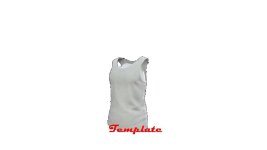
That sounds like a fun project! With the template provided, you have a great starting point to customize your own T-shirt design. Here are some steps you can follow to make the most of this opportunity:
1. **Open the Archive**: Start by extracting the contents of the archive to access the template texture and any accompanying files.
2. **Choose Your Design**: Think about the design you want to create on the T-shirt. It could be a logo, a pattern, a slogan, or anything else that reflects your style and interests.
3. **Edit the Template**: Use image editing software like Photoshop or GIMP to open the template texture. This is where you will create your design. You can draw directly on the template, add colors, textures, and any other elements you like.
4. **Be Creative**: Let your imagination run wild! Experiment with different design ideas, color schemes, and styles. Consider the overall composition and how the design will look when applied to a T-shirt.
5. **Save Your Work**: Once you are happy with your design, save the edited template texture in the appropriate format specified in the instructions provided with the archive.
6. **Apply the Design**: Use the Wardrobe Clothing Addon to apply your custom T-shirt design in-game. Enjoy seeing your creation come to life on your character!
7. **Share Your Creation**: If you're up for it, consider sharing your custom T-shirt design with the community. Others may appreciate your creativity and it can be a fun way to showcase your work.
Remember, the process of customizing the T-shirt template is all about having fun and expressing your creativity. Enjoy the creative journey and have a blast designing your very own T-shirt!

 Farming Simulator 25 Mods
 FS25 Maps
 FS25 Tractors
 FS25 Harvesters
 FS25 Trucks
 FS25 Trailers
 FS25 Vehicles
 FS25 Cars
 FS25 Buildings
 FS25 Implements
 FS25 Forklifts & Excavators
 FS25 Forestry
 FS25 Decorations
 FS25 Placeable objects
 FS25 Prefab
 FS25 Packs
 FS25 Weights
 FS25 Misc
 FS25 Textures
 FS25 Savegames
 FS25 Scripts
 FS25 Autodrive