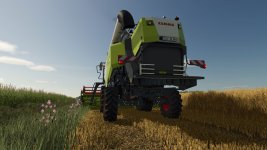

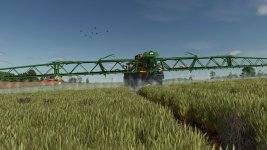
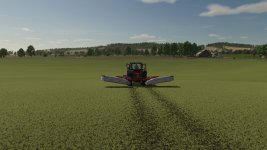
Hello everyone, Here is the stubble destruction – for all crop types included in the files:
– Corn
– Sunflowers
– Grass
– Wheat
– Barley
– Oats
– soybeans
– Rapeseed
– Millet
– Sugar beets
– potatoes
– Peas
– Parsnips
– Spinach
– Carrots
– Beetroot
– Green beans
– Onions
Important (multiplayer): To ensure that everything looks the same for everyone, all players must have installed the files – alternatively, the change must be built directly into the map.
Installation/installation
1. Unpack the file.
2. Find game folder:
– If you’re playing via Steam: Steam Library → Farming Simulator 25 → Gear → Manage → Browse/Open Local Files
– If not via Steam: Open the folder where you installed the game.
3. Then go to this path:
data/foliage
4. Copy and replace the extracted XML files into the respective Foliage folders
(Tip: make a quick backup of the original XMLs beforehand.)
V2.0.0.0
All new fruits are now included
- Authors / Credits
- Tim4424
- Download modification
- https://zippymods.com/ohyd19cl8vyu/Stubbledestruction.zip.html

 Farming Simulator 25 Mods
 FS25 Maps
 FS25 Tractors
 FS25 Harvesters
 FS25 Trucks
 FS25 Trailers
 FS25 Vehicles
 FS25 Cars
 FS25 Buildings
 FS25 Implements
 FS25 Forklifts & Excavators
 FS25 Forestry
 FS25 Decorations
 FS25 Placeable objects
 FS25 Prefab
 FS25 Packs
 FS25 Weights
 FS25 Misc
 FS25 Textures
 FS25 Savegames
 FS25 Scripts
 FS25 Autodrive