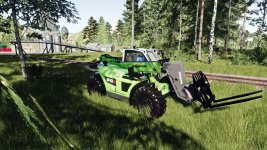
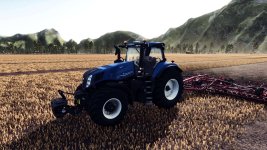
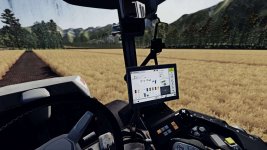
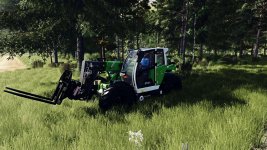
This ReShade preset is designed to bring realistic performance-friendly visuals to Farming Simulator 25.
It enhances clarity, color balance, lighting behavior and scene depth without breaking the original look of the game.
V1.1.0.0
Added and Refined various Effects.
Tweeked for even better performance
Tweeked night for better visuality
Fixed high contrast menu. Now is lighter.
Updated description, screenshots and Instalation instructions.
Main Features
Image sharper and cleaner, revealing natural detail.
Automatically balances brightness so nothing looks too dark or too bright.
More natural, photo-like colors and contrast.
Subtle ambient shadows, making objects look deeper and more realistic.
A cinematic focus blur effect ideal for screenshots.
Corrects black and white levels for a cleaner, less washed-out image.
Color Grading with LUT
Required In-Game Settings:
Disable the game’s built-in HDR (the preset handles all HDR-like behavior).
Disable the map’s Custom Lighting in the “Additional Game Settings” menu
(Prevents conflicts with exposure and color correction.)
Installation:
Download and install ReShade 6.0+.
Select the game executable:
…/Farming Simulator 25/x64/FarmingSimulator2025.exe
Choose DirectX 12.
When ReShade asks which shader packs to install, select:
– Standard Effects
– qUINT (MXAO, ADOF)
– PD80 / prod80
– HDR & Tonemap
– Clarity
Place the preset file RealisticSimple.ini inside:
*…./Farming Simulator 25/x64*
Launch the game, press Home, and select the preset and aply.
Remember to enable “performance mode”.
- Authors / Credits
- reneberwanger
- Download modification
- https://zippymods.com/sfwhwnxxnh55/RealisticSimple.zip.html


 Farming Simulator 25 Mods
 FS25 Maps
 FS25 Tractors
 FS25 Harvesters
 FS25 Trucks
 FS25 Trailers
 FS25 Vehicles
 FS25 Cars
 FS25 Buildings
 FS25 Implements
 FS25 Forklifts & Excavators
 FS25 Forestry
 FS25 Decorations
 FS25 Placeable objects
 FS25 Prefab
 FS25 Packs
 FS25 Weights
 FS25 Misc
 FS25 Textures
 FS25 Savegames
 FS25 Scripts
 FS25 Autodrive