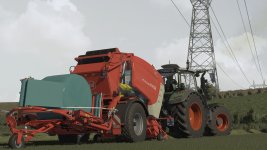
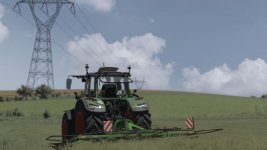


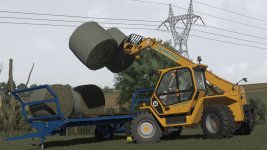
NO AI USED IN THE SCREENSHOTS!
All screenshots were taken directly in-game using this shader preset.
MIKI Shader v4 enhances lighting, colors, contrast, and overall visual quality while keeping a realistic look and good performance.
Installation
Install ReShade 6.3.3
Select Giants Engine 9.0.0.0 and DirectX 10/11/12
Copy the included files into your Farming Simulator 25 folder
Press Home in-game and select MIKI_SHADER_4.ini
Choose your resolution in the Addons tab
V1.1.0.0
updated ini file
new lighting method
Required mods:
Additional Game Settings
- Authors / Credits
- mihajlomiki
- Download modification
- https://zippymods.com/713stdtdpd1j/MIKI_SHADER_4.zip.html

 Farming Simulator 25 Mods
 FS25 Maps
 FS25 Tractors
 FS25 Harvesters
 FS25 Trucks
 FS25 Trailers
 FS25 Vehicles
 FS25 Cars
 FS25 Buildings
 FS25 Implements
 FS25 Forklifts & Excavators
 FS25 Forestry
 FS25 Decorations
 FS25 Placeable objects
 FS25 Prefab
 FS25 Packs
 FS25 Weights
 FS25 Misc
 FS25 Textures
 FS25 Savegames
 FS25 Scripts
 FS25 Autodrive