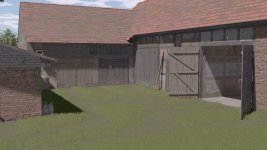
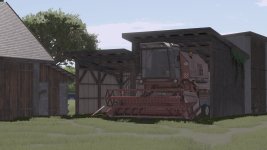
To make the lighting work in FS25, you need to first place the lighting configuration file in the appropriate location within the game's directory. Usually, this involves navigating to the game's configuration folder and placing the file there. Once this is done, the lighting settings should take effect in the game.
Regarding the Nvidia filters settings you provided for color adjustments, by following the order you've given:
- Exposure/Contrast: 33 28 10 0
- Exposure/Contrast: -10 -26 -64 -34
These settings can be adjusted using Nvidia's control panel or similar software. By entering these values in the appropriate fields, you can manipulate the color parameters to achieve the desired visual results in the game. Adjusting exposure and contrast can significantly impact the color balance and overall look of the game, allowing you to customize the experience to your liking.

 Farming Simulator 25 Mods
 FS25 Maps
 FS25 Tractors
 FS25 Harvesters
 FS25 Trucks
 FS25 Trailers
 FS25 Vehicles
 FS25 Cars
 FS25 Buildings
 FS25 Implements
 FS25 Forklifts & Excavators
 FS25 Forestry
 FS25 Decorations
 FS25 Placeable objects
 FS25 Prefab
 FS25 Packs
 FS25 Weights
 FS25 Misc
 FS25 Textures
 FS25 Savegames
 FS25 Scripts
 FS25 Autodrive