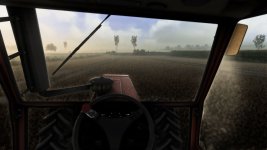
Hi,enjoy the preset and happy farming!
1. Install ReShade (reshade.me) for FarmingSimulator2025.exe (select DirectX 10/11/12).
2. Extract the ZIP file:
– Copy the .ini file into the ‘x64’ folder next to FarmingSimulator2025.exe.
– Copy the ‘nextrealsim’ folder into modsettings -> additionalsetting -> lighting.
3. Launch the game and press HOME (or POS1) to open the ReShade menu.
4. Select the .ini file from the top drop-down menu and click ‘Select’.
More versions coming soon!
Enjoy the preset and happy farming!
FS25Mods.com - Download Farming Simulator 25 Mods for FREE
Our platform is sharing all free fs25 mods created by passionate FS25 players. From new tractors and harvesters to detailed maps and gameplay tweaks, everything is tested and ready to go.
Finding and installing mods is super easy. Just browse by category, pick what you like, and download fast for free. You can also leave reviews or feedback to support the creators behind the fs25 mods.
Whether you’re new to the game or you’ve been modding for years, FS25Mods.com is a great place to discover latest game mods for FS25 game.





 Farming Simulator 25 Mods
 FS25 Maps
 FS25 Tractors
 FS25 Harvesters
 FS25 Trucks
 FS25 Trailers
 FS25 Vehicles
 FS25 Cars
 FS25 Buildings
 FS25 Implements
 FS25 Forklifts & Excavators
 FS25 Forestry
 FS25 Decorations
 FS25 Placeable objects
 FS25 Prefab
 FS25 Packs
 FS25 Weights
 FS25 Misc
 FS25 Textures
 FS25 Savegames
 FS25 Scripts
 FS25 Autodrive