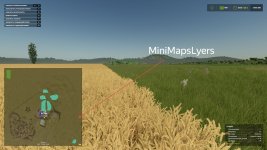
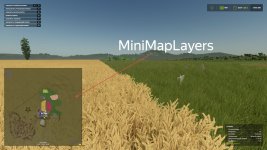
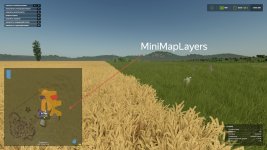
Mini Map Layers adds advanced mapping layers directly to the Farming Simulator 25 HUD minimap.
Now you can see crops, growth stages and soil conditions right while working in the field without opening a PDA card.
Switching minimap modes is done using hot keys (assigned in the control settings).
That sounds like a very useful feature for Farming Simulator 25! The addition of advanced mapping layers directly to the HUD minimap will definitely enhance the gameplay experience by providing useful information such as crop types, growth stages, and soil conditions without the need to constantly switch back and forth to the PDA card. This can save time and make fieldwork more efficient for virtual farmers. The ability to switch between different minimap modes using hotkeys is also a convenient feature that can streamline the gameplay process. Overall, the Mini Map Layers seem like a valuable tool for players looking to optimize their farming operations in the game.
FS25Mods.com - Download Farming Simulator 25 Mods for FREE
Our platform is sharing all free fs25 mods created by passionate FS25 players. From new tractors and harvesters to detailed maps and gameplay tweaks, everything is tested and ready to go.
Finding and installing mods is super easy. Just browse by category, pick what you like, and download fast for free. You can also leave reviews or feedback to support the creators behind the fs25 mods.
Whether you’re new to the game or you’ve been modding for years, FS25Mods.com is a great place to discover latest game mods for FS25 game.

 Farming Simulator 25 Mods
 FS25 Maps
 FS25 Tractors
 FS25 Harvesters
 FS25 Trucks
 FS25 Trailers
 FS25 Vehicles
 FS25 Cars
 FS25 Buildings
 FS25 Implements
 FS25 Forklifts & Excavators
 FS25 Forestry
 FS25 Decorations
 FS25 Placeable objects
 FS25 Prefab
 FS25 Packs
 FS25 Weights
 FS25 Misc
 FS25 Textures
 FS25 Savegames
 FS25 Scripts
 FS25 Autodrive