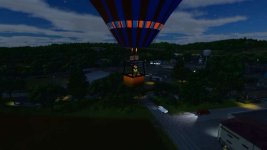
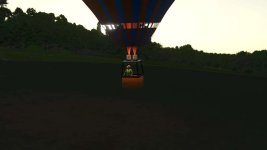
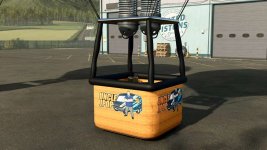
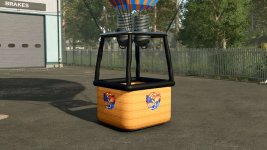

The Hot Air Balloon can take you anywhere you please around the map! Get a different view of things so you can plan ahead on your farm layout, or just drop in on friends to surprise them!
To Raise balloon level hold left mouse button
To lower balloon level hold right mouse button
– Color Selectable Parts
– Balloon Stripe 1
– Balloon Stripe 2
– Basket Arm
– Gas Tanks
– Supports 1 Passenger so you and a friend can fly together
– Floats mid air, no need to keep adjusting height
– Animated Ballon (Gets bigger once you enter it)
– Custom exhause effects for burners
– Selectable Logo’s
– None
– Squigglze
– UncleJpop
– Create Your Own Custom Logo
– To create your own custom logo for your own game, unzip the mod and open customLogo_diffuse in paint .net, then add your own logo and save as BC3 (Linear, DXT5) – Make sure to check the box to Generate Mip Maps. Done!
Price: $55,000
Location: Vehicle Menu > Squigglze > Aviation
REQUIRED MODS: Squigglze Store Extension
- Authors / Credits
- Squigglze
- Download modification
- https://zippymods.com/rqd4zsg4ijop/FS25_ASM_HotAirBalloon.zip.html

 Farming Simulator 25 Mods
 FS25 Maps
 FS25 Tractors
 FS25 Harvesters
 FS25 Trucks
 FS25 Trailers
 FS25 Vehicles
 FS25 Cars
 FS25 Buildings
 FS25 Implements
 FS25 Forklifts & Excavators
 FS25 Forestry
 FS25 Decorations
 FS25 Placeable objects
 FS25 Prefab
 FS25 Packs
 FS25 Weights
 FS25 Misc
 FS25 Textures
 FS25 Savegames
 FS25 Scripts
 FS25 Autodrive