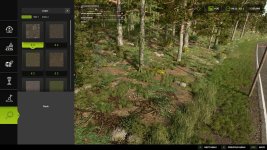
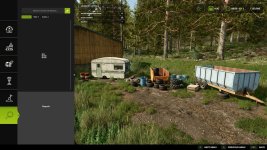
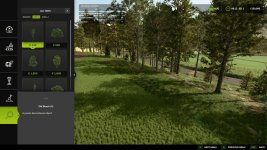
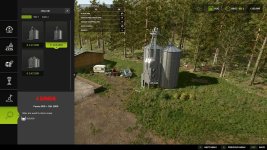
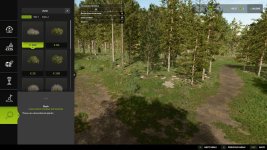
The recent update V1.0.1 in the Construction Search feature brings significant improvements to the search functionality within the construction menu. Here's a breakdown of the changes:
1. **Search by Mod/DLC Name**: Users can now search for items by the name of the mod or DLC they belong to. This will make it easier to find specific items associated with a particular modification or downloadable content.
2. **Minimum Query Length**: The update introduces a minimum query length of 2 characters. This means that users need to input at least 2 characters in the search field for the search to initiate, improving search efficiency.
The Construction Search feature now offers a robust search experience, including:
- **Fuzzy Matching**: Enables finding items even with typos, enhancing the search accuracy.
- **Real-time Filtering**: Items are filtered instantly as the user types, providing quick results.
- **Multi-word Search**: Supports searching with multiple words for more precise results.
- **Sorting Options**: Users can sort search results by relevance, price, or name, allowing for customization.
- **Search Scope**: You can search across item names, categories, tabs, and brands, making it comprehensive.
Additionally, a convenient hotkey has been added:
- **Backspace Key Hotkey**: Pressing the Backspace key while in the Search category allows users to quickly focus on the search input, improving accessibility and ease of use.
These updates enhance the user experience and streamline the search process within the construction menu, making it easier and more efficient to locate specific placeable objects, buildings, or decorations.

 Farming Simulator 25 Mods
 FS25 Maps
 FS25 Tractors
 FS25 Harvesters
 FS25 Trucks
 FS25 Trailers
 FS25 Vehicles
 FS25 Cars
 FS25 Buildings
 FS25 Implements
 FS25 Forklifts & Excavators
 FS25 Forestry
 FS25 Decorations
 FS25 Placeable objects
 FS25 Prefab
 FS25 Packs
 FS25 Weights
 FS25 Misc
 FS25 Textures
 FS25 Savegames
 FS25 Scripts
 FS25 Autodrive