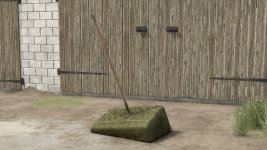
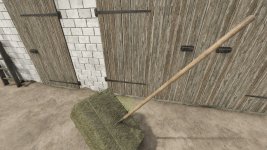
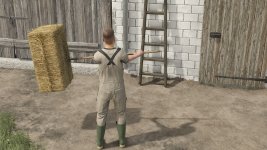

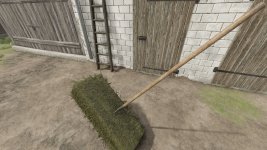
How Forks Work and How to Use Them Forks work in such a way that:
Left mouse button Lowers and raises the Forks depending on the direction of mouse movement. (If you push down, when it reaches the max, the forks bounce up by themselves, and then when you push down to the max, they bounce to the initial phase, i.e. straight in front of the character)
Right button tilts/tilts the forks forward. (You can use this with the left button or both, so you can rotate the forks as you like)
The Left and Right buttons simultaneously rotate the Forks around their own axis. (the same as I wrote above in brackets)
The “B” button is the working position, i.e. collecting cubes.
The “Y” button drops/releases dice. (Here, however, you need to click “y” 3x to return to the initial collecting phase. 1 “y” turns off this phase, 2 “y” releases the dice, 3 “y” turns off the releasing phase)
Specifications:
Price:
Capacity: 1 cube
Cube size: 49-140cm.
Configurations:
Possibility to select the number of teeth: 2/3/4/5
Marker Icon selection: yes/no
Forks You will find in the category: Hand tools -> Miscellaneous
- Authors / Credits
- Miziuu, ZlotowkaScammer, BohdanModding
- Download modification
- https://zippymods.com/23mjsc3wglcb/FS25_PitchFork.zip.html

 Farming Simulator 25 Mods
 FS25 Maps
 FS25 Tractors
 FS25 Harvesters
 FS25 Trucks
 FS25 Trailers
 FS25 Vehicles
 FS25 Cars
 FS25 Buildings
 FS25 Implements
 FS25 Forklifts & Excavators
 FS25 Forestry
 FS25 Decorations
 FS25 Placeable objects
 FS25 Prefab
 FS25 Packs
 FS25 Weights
 FS25 Misc
 FS25 Textures
 FS25 Savegames
 FS25 Scripts
 FS25 Autodrive