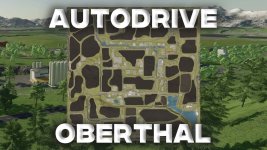
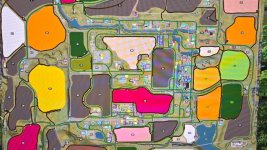
It's great to hear that the roads, fields, and production areas on the Oberthal map have been cleared, and Farm 1 is all set. Here are some detailed course creation steps using Autodrive for the remaining farms:
1. **Preparing for Course Creation:**
- Make sure you have Autodrive installed and activated on the Oberthal map.
- Explore Farms 2 through 4 to understand their layouts and access points.
2. **Manual Clearing for Farms 2 through 4:**
- Clear the access points on these farms to allow vehicles to move freely.
- Remove any obstacles or debris that may hinder the autonomous vehicles.
3. **Course Creation for Farms 2 through 4:**
- Launch Autodrive by opening the Autodrive GUI in the game.
- Select the respective farm area where you want to create the course.
- Click on 'Add Point' and place the starting point for the course at a suitable location, ensuring it is clear and accessible.
- Continue adding waypoints to guide the vehicle around the farm, marking key stops or locations as needed.
- Use the 'Link' option to connect the waypoints and form a complete route for the vehicle.
- Adjust speed settings, turn angles, and any other specific parameters to optimize the course for each farm.
4. **Testing and Refinement:**
- Test the created course by sending a vehicle along the route.
- Observe the vehicle's behavior and make adjustments as necessary for smoother navigation.
- Fine-tune the course based on vehicle performance and ensure it covers all necessary areas on the farm.
5. **Saving and Managing Courses:**
- Save the created courses within Autodrive to easily access them later.
- Organize the courses based on farms or specific tasks for efficient management.
By following these steps, you can efficiently create detailed courses for Farms 2 through 4 on the Oberthal map using Autodrive, enhancing automation and productivity on your fields. Happy farming!


 Farming Simulator 25 Mods
 FS25 Maps
 FS25 Tractors
 FS25 Harvesters
 FS25 Trucks
 FS25 Trailers
 FS25 Vehicles
 FS25 Cars
 FS25 Buildings
 FS25 Implements
 FS25 Forklifts & Excavators
 FS25 Forestry
 FS25 Decorations
 FS25 Placeable objects
 FS25 Prefab
 FS25 Packs
 FS25 Weights
 FS25 Misc
 FS25 Textures
 FS25 Savegames
 FS25 Scripts
 FS25 Autodrive