Hello! I can provide you with detailed instructions on how to create an Autodrive course for the Golden Lands Map in FS25. Autodrive is a very useful feature in Farming Simulator games that allows you to set specific routes for your vehicles to follow automatically. Here's how you can create an Autodrive course for the Golden Lands Map:
1. First, you need to install the Autodrive mod in your FS25 game. You can download the mod from a reputable modding website or the in-game modhub.
2. Once the Autodrive mod is installed, enter the game and load the Golden Lands Map.
3. Find a starting point for your Autodrive course. This could be a farm, field, or any other location on the map.
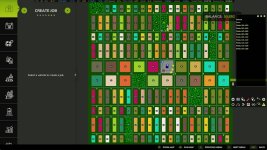
4. Open the Autodrive menu by pressing the default hotkey 'Left Ctrl + Delete'. This will bring up the Autodrive HUD interface.
5. In the Autodrive HUD, select the 'Courses' tab and then click on 'New'. This will create a new Autodrive course.
6. You can now start setting waypoints for your course. Click on the map where you want the first waypoint to be placed. You can continue adding more waypoints by clicking on the desired locations on the map.
7. Once you have added all the waypoints for your course, you can adjust the speed, wait points, and other settings as needed in the Autodrive HUD.
8. Save the course once you are satisfied with the settings.
9. To activate the Autodrive course, select the course you created from the Autodrive HUD and click on 'Start'. Your vehicle will now follow the course automatically.
Remember to pay attention to obstacles, terrain, and other vehicles while setting up the Autodrive course to ensure smooth operation. Enjoy using Autodrive on the Golden Lands Map in FS25!


 Farming Simulator 25 Mods
 FS25 Maps
 FS25 Tractors
 FS25 Harvesters
 FS25 Trucks
 FS25 Trailers
 FS25 Vehicles
 FS25 Cars
 FS25 Buildings
 FS25 Implements
 FS25 Forklifts & Excavators
 FS25 Forestry
 FS25 Decorations
 FS25 Placeable objects
 FS25 Prefab
 FS25 Packs
 FS25 Weights
 FS25 Misc
 FS25 Textures
 FS25 Savegames
 FS25 Scripts
 FS25 Autodrive