


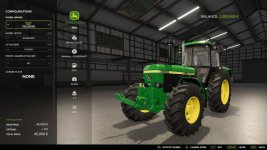
This adds realstic vehicle years to all vehicles including attachments.
The years provided for each vehicles has been manually added with best effort, but there are sure to be missing or wrong years for some vehicles and attachments. Similarly not all vehicles have yet been assigned a year, and as new mods will be added, they will also be missing it, until this mod and its data is updated.
If you want to add a year to your own mod without waiting for this mod to add it, or if you want to correct the year on your mod without modifying the data of this mod, you can always add the year yourself, simply by adding the “storeItem.specs.year” value yourself, as this mod only adds it if it is missing. See for a short guide on how to.
Adding years to your own mod
This is a short guide on how to add years to your own mods.
Simply add a <year> entry in your mod’s XML file under <storeData>. Your mod’s XML should contain something like
Check out my other mod, Through the Years, which uses the years from this to change how you progress over time in the game.
<vehicle>
<storeData>
<year>1999</year>
</storeData>
</vehicle>
After this, the Vehicle Years mod should automatically read your mods provided year, instead of reading the year provided by this mod.
Please report or correct any incorrect or missing years to the project on Gitlab: Here you will also find guides on how to add your own years to your mods, as well as downloadable bundles of mods (meta-mods) such as the 1970s, 1980s, etc. Unfortunately GIANTS Software did not allow these meta-mods to be uploaded to Modhub.
- Authors / Credits
- Thalley
- Download modification
- https://zippymods.com/qzq0ian2sxdd/FS25_Vehicle_Years.zip.html


 Farming Simulator 25 Mods
 FS25 Maps
 FS25 Tractors
 FS25 Harvesters
 FS25 Trucks
 FS25 Trailers
 FS25 Vehicles
 FS25 Cars
 FS25 Buildings
 FS25 Implements
 FS25 Forklifts & Excavators
 FS25 Forestry
 FS25 Decorations
 FS25 Placeable objects
 FS25 Prefab
 FS25 Packs
 FS25 Weights
 FS25 Misc
 FS25 Textures
 FS25 Savegames
 FS25 Scripts
 FS25 Autodrive