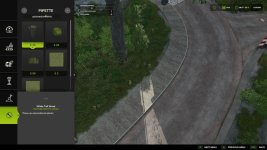
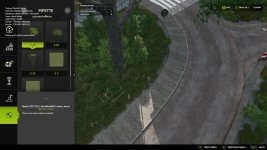
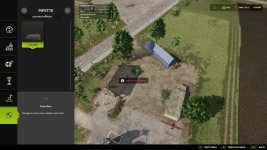
Texture Pipette adds a pipette function for ground textures, placeable objects and suitable map foliage to the construction menu.
It allows previously used paint textures, visible foliage such as grass, flowers and bushes, and supported placeable objects to be picked directly from the map and found again more quickly in the construction menu. The mod prioritizes suitable results and can show several possible candidates in mixed areas.
How to use:
1. Open the “Pipette” tab in the construction menu.
2. Press the “Activate pipette” button.
3. Click a ground texture, foliage or supported placeable object.
4. Confirm the desired result in the construction menu.
5. Paint or build as usual.
If needed, the pipette can be activated again at any time. The active brush is reset before picking.
The mod also considers available ground textures and suitable foliage of the current map. Map foliage is added as paintable construction-menu entries where possible.
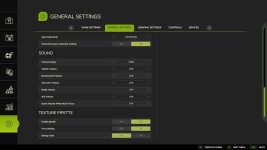
Debug mode is optional and disabled by default. It is only intended for troubleshooting.
Thanks to PeterPwn247 for “All Decorative Foliage” and to modelleicher (Farming Agency) for “All The Ground Textures Ingame”. Both mods helped with understanding how map content can be made available in the construction menu.
V1.2.0.0
– Added detection support for foliage such as grass, flowers and bushes.
– Map foliage is added as paintable construction-menu entries where possible.
– Added a combined result list for foliage and ground textures.
– Added debug mode as optional troubleshooting aid.
- Authors / Credits
- Nalathan
- Download modification
- https://zippymods.com/az4f8j160p1d/FS25_TexturePipette.zip.html


 Farming Simulator 25 Mods
 FS25 Maps
 FS25 Tractors
 FS25 Harvesters
 FS25 Trucks
 FS25 Trailers
 FS25 Vehicles
 FS25 Cars
 FS25 Buildings
 FS25 Implements
 FS25 Forklifts & Excavators
 FS25 Forestry
 FS25 Decorations
 FS25 Placeable objects
 FS25 Prefab
 FS25 Packs
 FS25 Weights
 FS25 Misc
 FS25 Textures
 FS25 Savegames
 FS25 Scripts
 FS25 Autodrive