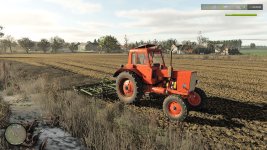
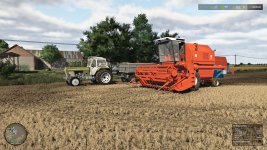
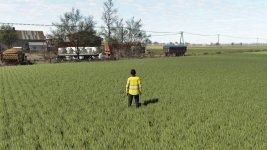
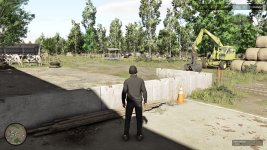
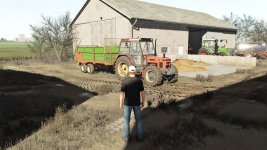
Thank you for sharing your Nvidia filter settings for FS25 shaders by Goat with Czarny lighting. Let's break down the settings you've provided and their impact on the visual experience in the game:
1. **Exposure 0**: This determines the overall brightness of the scene. Setting it to 0 means the scene will not be brighter or darker than the default lighting.
2. **Contrast -50**: This setting reduces the difference between the lightest and darkest parts of the image, creating a more muted and less intense visual effect.
3. **Lights 6**: Increasing this setting can make bright parts of the scene stand out more, potentially enhancing the visibility of light sources like lamps or the sun.
4. **Shadows 26**: This setting affects the darkness of shadowed areas. A value of 26 likely means shadows will be moderately dark, not too deep or too bright.
5. **Gamma 6**: Adjusting the gamma setting can affect the overall brightness and contrast of the image, potentially making the colors appear more vibrant or muted.
**Details settings**:
1. **Sharpen 10**: Increasing sharpening can enhance the clarity of textures and edges in the scene, making objects appear more defined.
2. **Transparency -16**: This setting may affect how transparent certain elements in the scene are, potentially impacting effects like glass or reflections.
3. **HDR toning -70**: High Dynamic Range toning can adjust the range of light and dark tones in the image, creating a more balanced and realistic lighting effect.
4. **Brightness 0**: This setting controls the overall brightness level of the image; a value of 0 means no adjustment to the default brightness.
These settings, when combined, can alter the visual experience in FS25, enhancing details, shadows, lighting, and overall image quality according to your preferences. Players looking for a specific visual style or enhanced realism may find your settings useful for their gameplay experience. Thank you for sharing your Nvidia filter settings!

 Farming Simulator 25 Mods
 FS25 Maps
 FS25 Tractors
 FS25 Harvesters
 FS25 Trucks
 FS25 Trailers
 FS25 Vehicles
 FS25 Cars
 FS25 Buildings
 FS25 Implements
 FS25 Forklifts & Excavators
 FS25 Forestry
 FS25 Decorations
 FS25 Placeable objects
 FS25 Prefab
 FS25 Packs
 FS25 Weights
 FS25 Misc
 FS25 Textures
 FS25 Savegames
 FS25 Scripts
 FS25 Autodrive