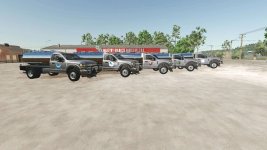
To configure the engine to two different power levels (500 hp and 1000 hp) in the Ford F550 AF v1.0, you would need to modify the vehicle's engine settings in the game files. Changing the engine power rating involves adjusting various parameters such as horsepower, torque, and other performance characteristics.
For the 500 hp configuration, you could set the engine parameters to achieve the desired power output. Similarly, for the 1000 hp configuration, you would need to significantly increase the horsepower and torque values to reach the higher power level.
Regarding the capacity options of 10,000 and 25,000, these likely refer to the vehicle's tank capacity for various liquids such as water, milk, diesel, liquid fertilizer, and herbicide. You can adjust these capacities in the vehicle configuration files to reflect the desired volumes.
To add logos on the door and tank, representing milk, water, fuel, liquid fertilizer, and Anaxandros, you would need to create custom decal images and then associate them with the specific locations on the vehicle model in the game files.
Finally, for the fill unit options of diesel, liquid fertilizer, herbicide, water, and milk, you can set these up in the vehicle's configuration file to enable the tanker to carry and dispense these liquids in the game.
If you need detailed guidance on how to make these modifications, let me know, and I can provide you with more specific instructions.



 Farming Simulator 25 Mods
 FS25 Maps
 FS25 Tractors
 FS25 Harvesters
 FS25 Trucks
 FS25 Trailers
 FS25 Vehicles
 FS25 Cars
 FS25 Buildings
 FS25 Implements
 FS25 Forklifts & Excavators
 FS25 Forestry
 FS25 Decorations
 FS25 Placeable objects
 FS25 Prefab
 FS25 Packs
 FS25 Weights
 FS25 Misc
 FS25 Textures
 FS25 Savegames
 FS25 Scripts
 FS25 Autodrive