The Field Notes v2.0 update seems to bring a lot of useful features and enhancements to the notebook functionality. Here's a breakdown of the new features and improvements:
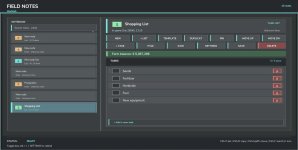
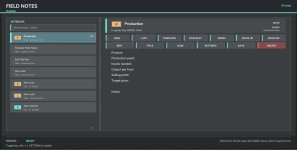
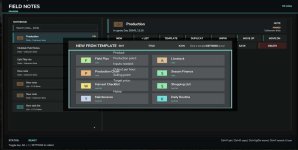
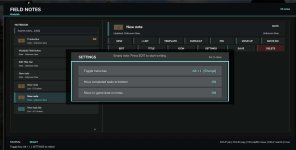
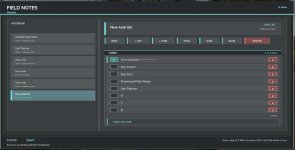
1. **Note Templates**: The addition of note templates for production, animal husbandry, and more can help users create notes faster by providing pre-designed structures for specific types of information.
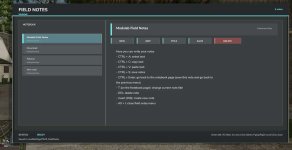
2. **Fixed Hotkey Incompatibility**: Resolving hotkey incompatibility issues ensures a smoother user experience when accessing and using the notebook with the Alt + J shortcut.
3. **Pin Notes to the Top**: The ability to pin notes to the top allows users to prioritize important notes or keep them easily accessible for quick reference.
4. **Task Management**: The feature where completed tasks move to the bottom of the list helps users maintain an organized and clutter-free workspace by automatically sorting tasks based on their completion status.
5. **Visual Improvements**: Various visual enhancements can enhance the overall aesthetic and usability of the notebook interface, making it more appealing and user-friendly.
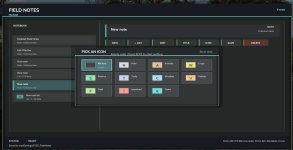
6. **New Icons**: Introduction of new icons can improve visual recognition and navigation within the notebook, making it easier for users to identify different types of notes or functionalities.
7. **Other Improvements**: This vague category could encompass a wide range of enhancements such as performance optimizations, bug fixes, user interface tweaks, and additional functionalities not specified in the update notes.
Overall, the Field Notes v2.0 update seems to focus on enhancing user productivity, organization, and user experience through a combination of new features, fixes, and visual enhancements.

 Farming Simulator 25 Mods
 FS25 Maps
 FS25 Tractors
 FS25 Harvesters
 FS25 Trucks
 FS25 Trailers
 FS25 Vehicles
 FS25 Cars
 FS25 Buildings
 FS25 Implements
 FS25 Forklifts & Excavators
 FS25 Forestry
 FS25 Decorations
 FS25 Placeable objects
 FS25 Prefab
 FS25 Packs
 FS25 Weights
 FS25 Misc
 FS25 Textures
 FS25 Savegames
 FS25 Scripts
 FS25 Autodrive